Booking form questions: what to ask your customers
Which questions to add to your booking form, which answer type to use, and how to stop chasing customers before the appointment. With examples by industry.
The customer sits in the chair and only then tells you she is allergic to the dye you mixed. The new patient arrives at physio and you spend the first ten minutes asking where it hurts. The barbershop customer never knew you had a cancellation policy, and now that he missed his slot he thinks you just made it up.
None of this is carelessness. It is information arriving too late. The fix is to ask in the right place: on the booking form, at the moment the customer picks a time and is still paying attention.
Why ask at booking time, not at the door
You can collect information at three points: before the booking, between the booking and the appointment, or during the appointment. The first is the cheapest.
- You prepare the service. You know it is a first visit, that there is a shoulder injury, that the dog weighs 40 kg. You set aside the right materials and the right amount of time.
- You save appointment time. Every question asked at the door comes out of paid service time.
- You stop the night-before WhatsApp. No more "hi, before tomorrow I need to know…" to every new customer.
- You keep a record. The answer is written on the booking and the customer profile, not in your head.
The risk runs the other way too: a form that is too long makes people give up halfway. The trick is to pick few questions and the right answer type for each.
What to ask: ideas by type of business
There is no universal form. A barbershop needs one or two questions; a clinic might need four. Use this table as a starting point and cut anything you will not use.
| Business | Question | Answer type |
|---|---|---|
| Barbershop | Is this your first visit? | Yes / No |
| Barbershop | How did you hear about us? | Single choice |
| Hair and beauty | Any allergies or sensitivities to products? | Long text, sensitive, ask once |
| Hair and beauty | Which areas would you like treated? | Multiple choice |
| Clinic and physio | Reason for the appointment | Long text, sensitive |
| Clinic and physio | Date of birth | Date, ask once |
| Therapy | Would you prefer in person or online? | Single choice |
| Personal trainer | What is your main goal? | Single choice |
| Tutoring | Student's school year | Number |
| Vet | Pet's name and species | Short text |
| Everyone | I accept the cancellation policy | Consent |
Notice the cancellation policy shows up for everyone. If you do not have one yet, write it in three lines: how much notice you need, what happens to a deposit, and how the customer should let you know.
Pick the right answer type
The answer type shapes the customer's experience more than the question itself. Tapping a button takes a second; typing a paragraph on a phone takes a minute.
| Type | Use it when | Example |
|---|---|---|
| Short text | The answer fits on one line | Pet's name |
| Long text | You need context | Injuries, allergies, reason for visit |
| Single choice | There are few possible answers | How did you hear about us |
| Multiple choice | The customer can pick several | Areas to treat |
| Yes / No | The answer is binary | Is this your first visit? |
| Number | You need a value | Age, school year |
| Date | You need a day | Date of birth |
| Consent | The customer must accept a text | Cancellation policy, terms |
Rule of thumb: if you can turn a text question into a choice, do it. You get shorter, comparable answers and customers answer faster.
5 rules for a form that does not scare customers off
- Only ask what you will use. If the answer does not change how you prepare, cut the question.
- Stop at three or four questions. Beyond that, customers feel they are filling in paperwork.
- Only require what blocks the service. "How did you hear about us?" can be optional; "any allergies?" before a colour treatment should not be.
- Ask once for what does not change. Date of birth does not need asking on every booking.
- Protect what is sensitive. Health, medication and the reason for a visit should not travel by email or be visible to the whole team.
Health data needs extra care. Under data protection law, health information is a special category: ask only for the minimum you need to provide the service and tell the customer what it is for.
How it works in agend.pt
Under Settings → Booking form you add your own questions, on top of the name, phone and email that are already asked. Write a question from scratch or start from a suggested one (how did you hear about us, first visit, allergies, date of birth and cancellation policy) and adjust it to your business. Reorder them with the arrows.
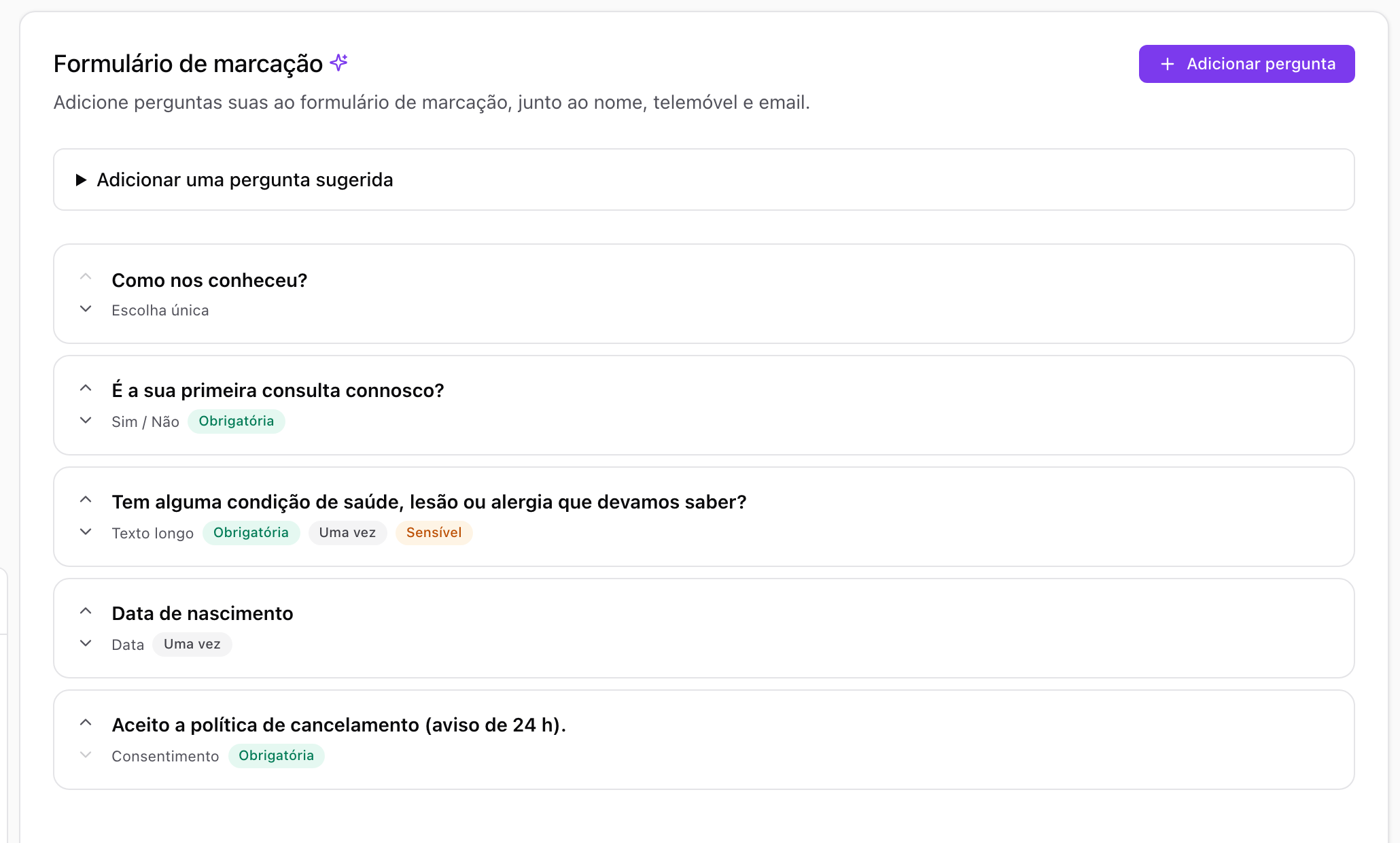
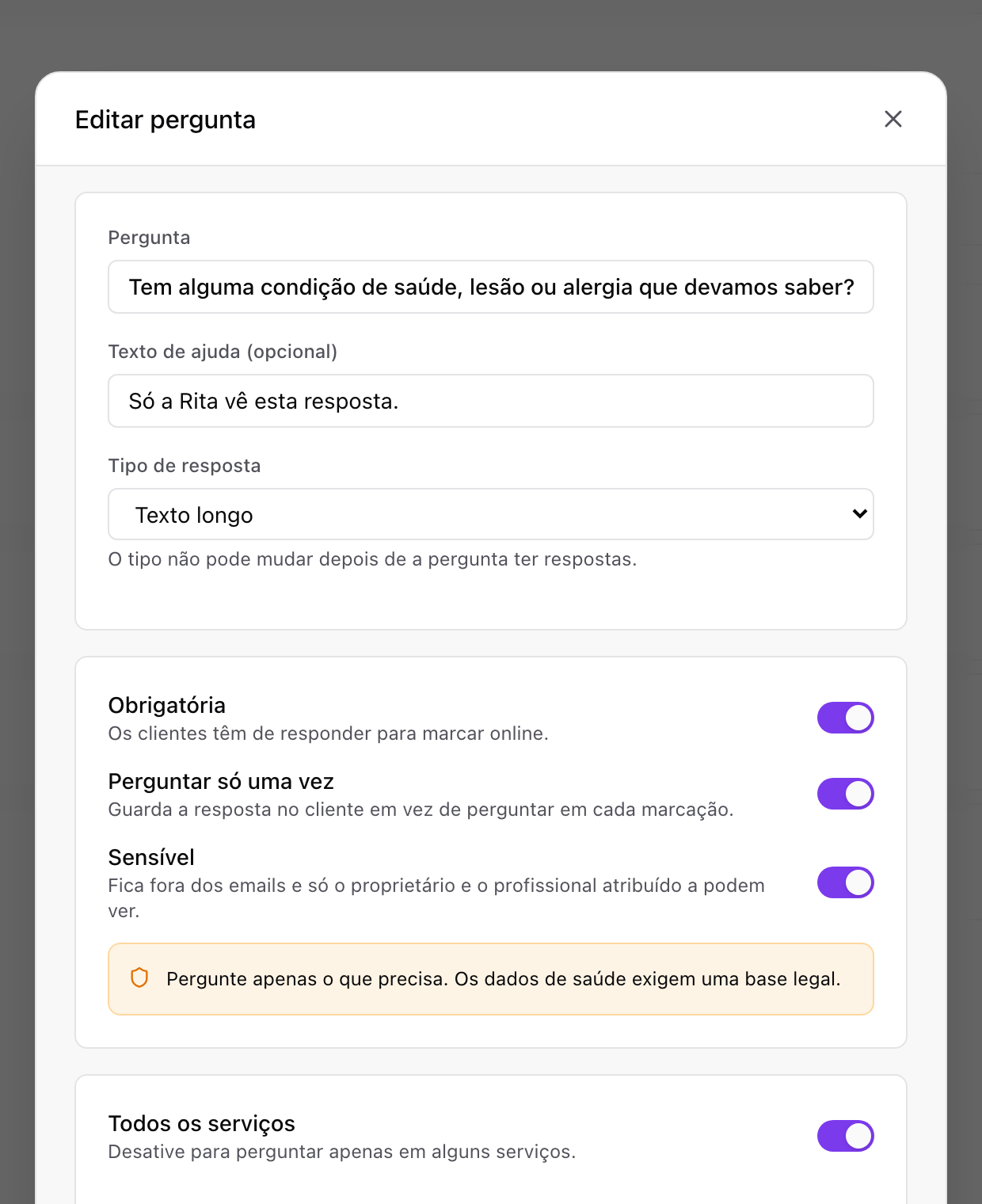
Each question has three switches that cover the rules above:
- Required: the customer has to answer to book online.
- Ask only once: the answer is kept on the customer's profile and not asked again on later bookings.
- Sensitive: the answer stays out of emails and only the owner and the booking's team member can see it.
You also choose whether the question shows on every service or only on some. The allergy question shows on colour treatments and not on a haircut; the reason for the visit shows on a first consultation and not on a follow-up.
Consent questions record the date the customer accepted. If you change your policy text, every customer is asked again on their next booking, so you always know which version they agreed to.
What your customer sees: one question at a time
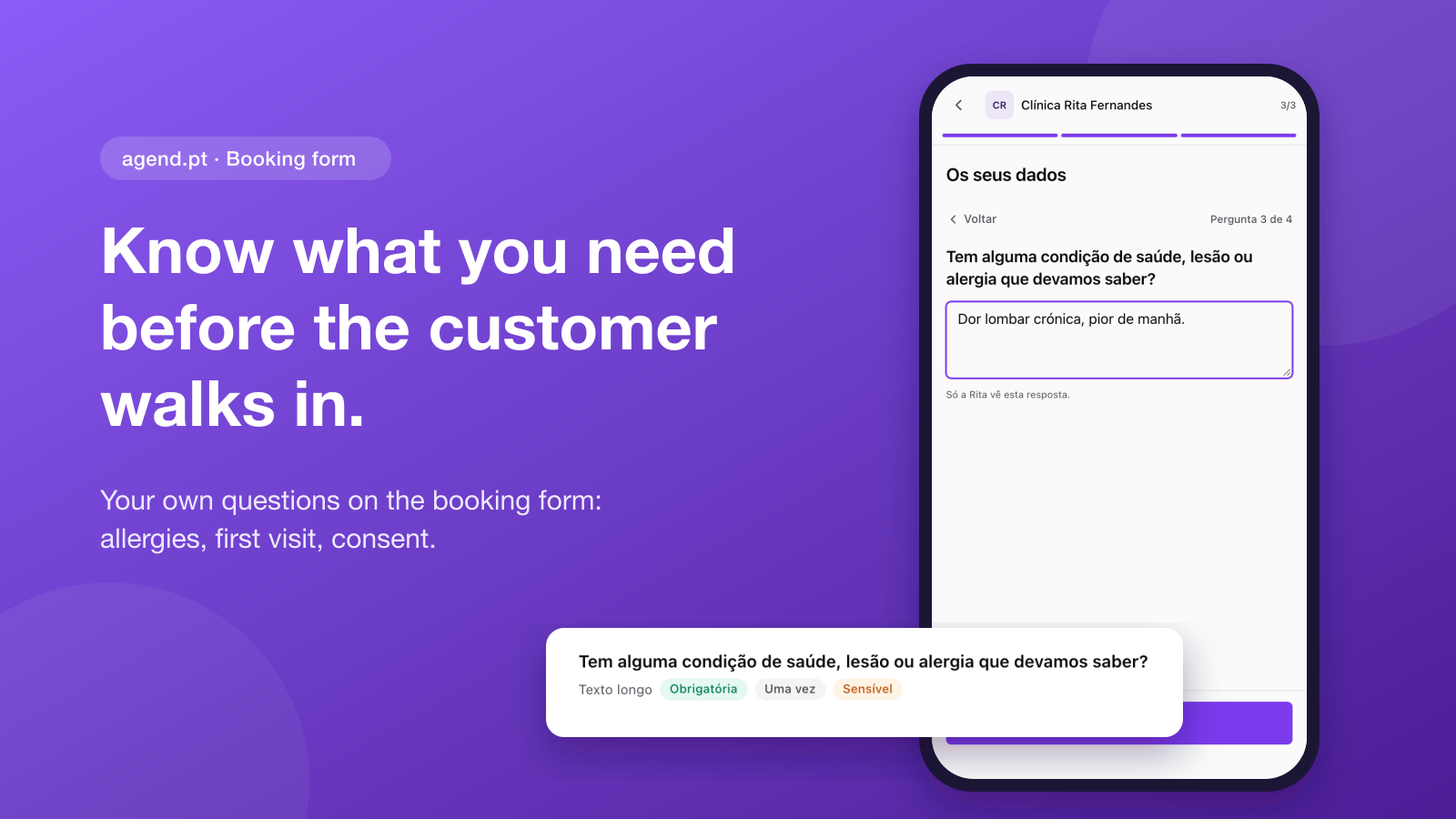
On your booking page, the questions come right after the contact details. With two or more questions, the customer answers one at a time, with progress always in view ("Question 3 of 4"). On a phone, this makes a four-question form feel short.
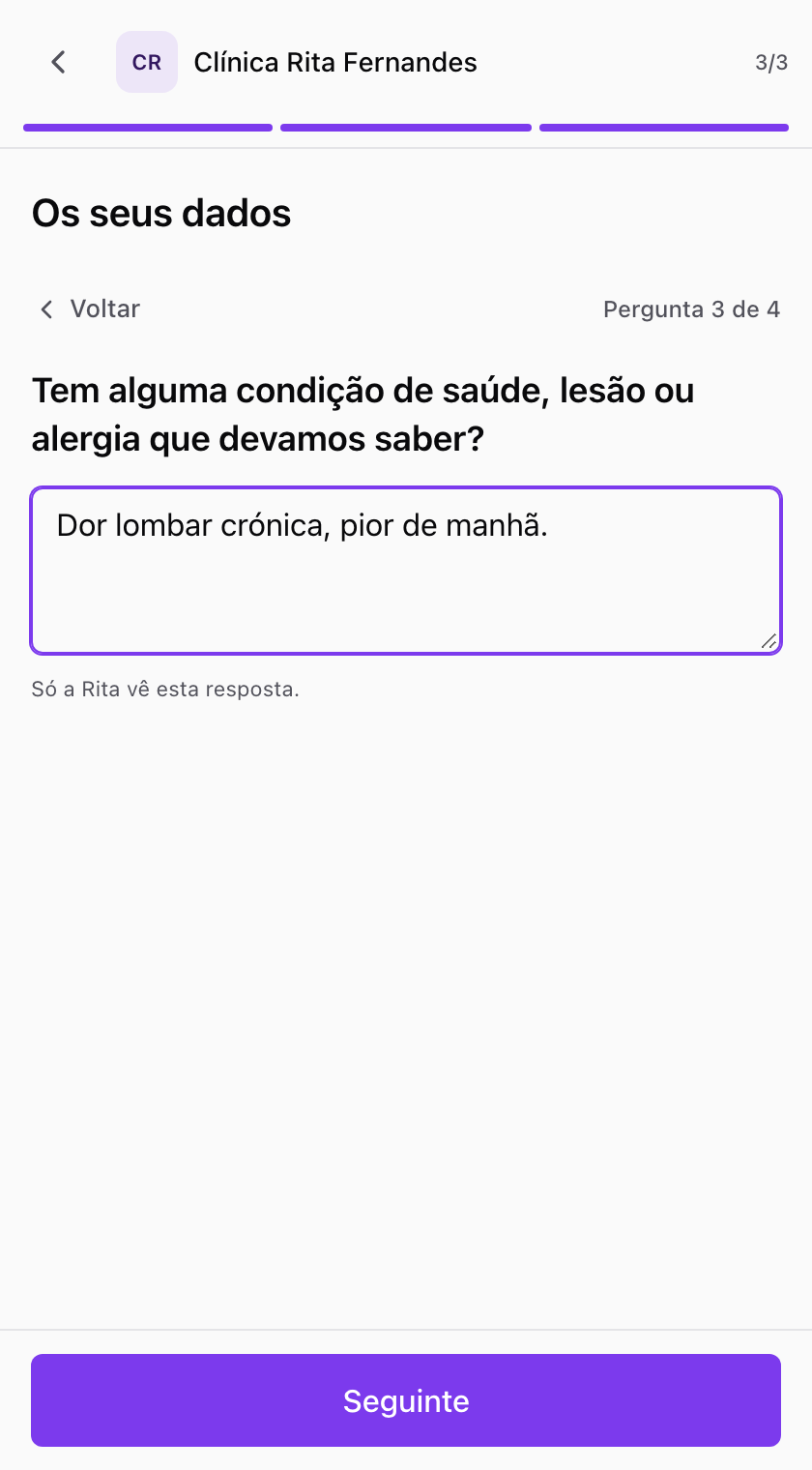
The same questions show in the booking widget on your website, because it runs the same booking flow.
And when you book by phone or WhatsApp?
Not every booking goes through your public page. When you create a booking in the dashboard, you fill in the answers you already know. If a required one is missing, the booking gets an Answers missing label and lists what is still open.
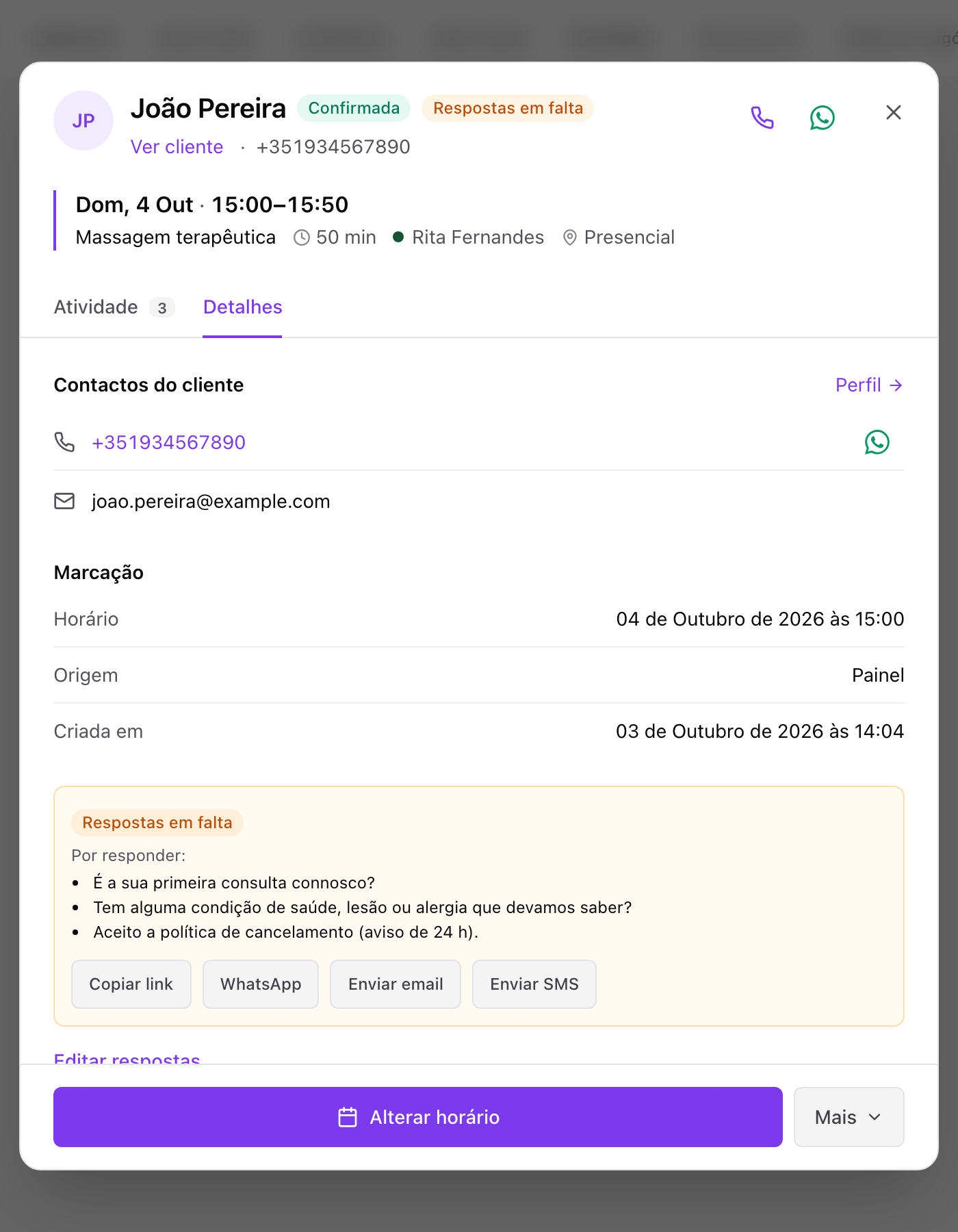
With one tap you send the customer a link to answer: copy it, send it by WhatsApp, by email, or by SMS (on the Pro plan). The customer answers on their booking page and can change their answers until the appointment starts.
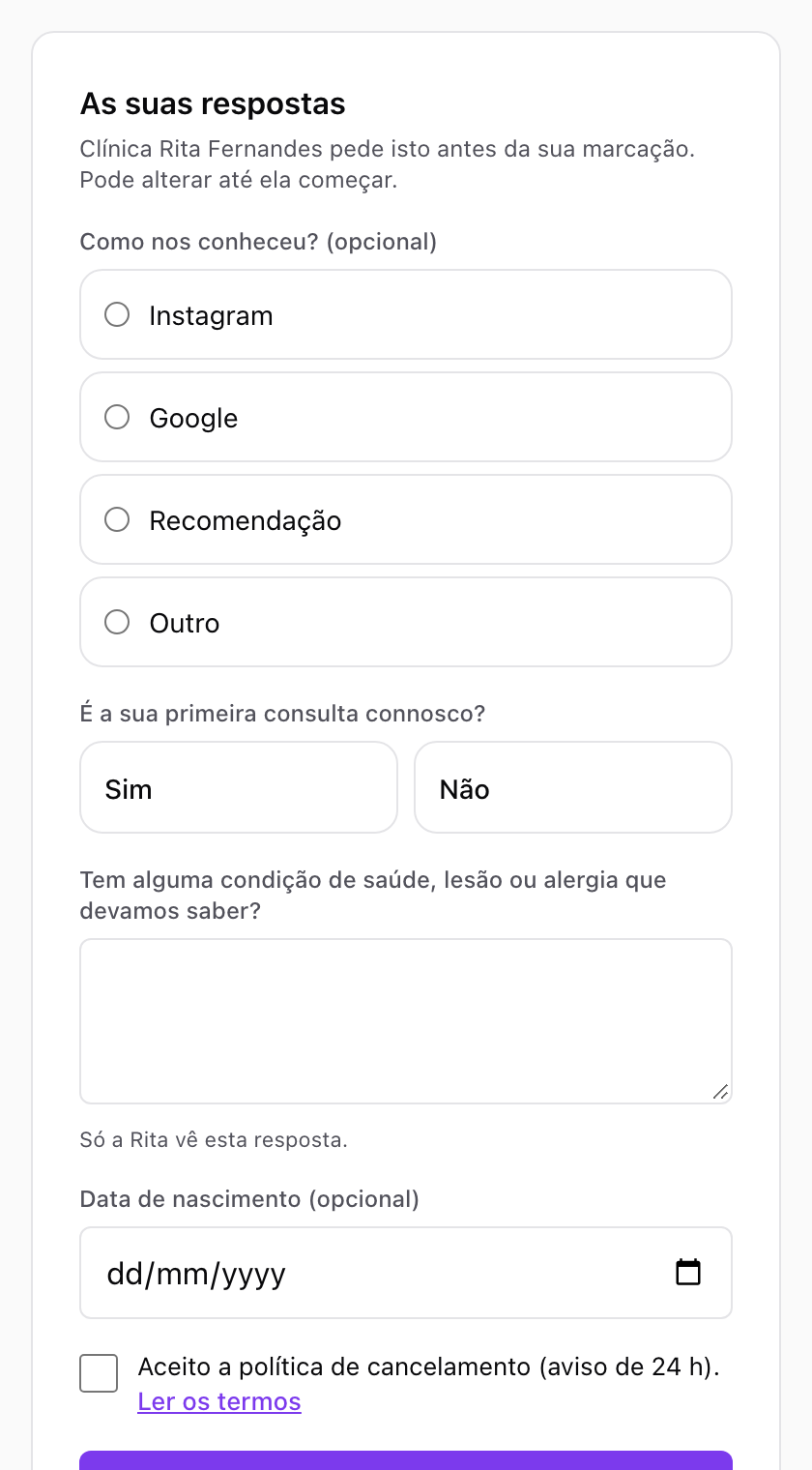
Where the answers go
Answers show in the booking details and in the email you get for every new booking. Answers marked sensitive stay out of that email: you only see a note that there is an answer, with a link to read it in the dashboard. "Ask once" answers live on the customer's profile, where you can edit or erase them.
On the Pro plan, the AI assistant can also create questions, record answers a customer gave you over the phone and send the link for missing answers. Sensitive answers never reach the assistant.
What it costs
| Free | Premium | Pro | |
|---|---|---|---|
| Booking form questions | 1 | Unlimited | Unlimited |
| Consent questions | Yes | Yes | Yes |
| Send the answers link by WhatsApp and email | Yes | Yes | Yes |
| Send the answers link by SMS | — | — | Yes |
| AI assistant creates questions and records answers | — | — | Yes |
| Price (ex. VAT) | €0 | €11.99/month | €17.99/month |
On the free plan you get one question of your choice, plus consent questions, which do not count towards the limit. That covers the most important question, say "is this your first visit?", and your cancellation policy. When you need more, Premium unlocks unlimited questions along with the waiting list, online deposits and a page without agend.pt branding. Billed yearly, Premium is €9.99/month and Pro €14.99/month. See the full details on the pricing page.
Try it with no strings attached: every new account gets 14 days of Pro, no card needed. Set up your questions, make a test booking on your phone and see the form the way your customers will.
Takeaway
A good booking form asks three or four questions, uses buttons wherever it can, asks once for what does not change and protects what is sensitive. You walk into every appointment knowing what you need, with no night-before messages and no questions at the door.
If you do not have a booking page yet, create one for free on agend.pt and add your first question today. Running a clinic? See how agend.pt works for clinics and therapists.