Waiting list: fill the gaps cancellations leave
How an automatic waiting list turns cancellations into bookings when your calendar is full. What an empty slot costs you and how to put the list to work.
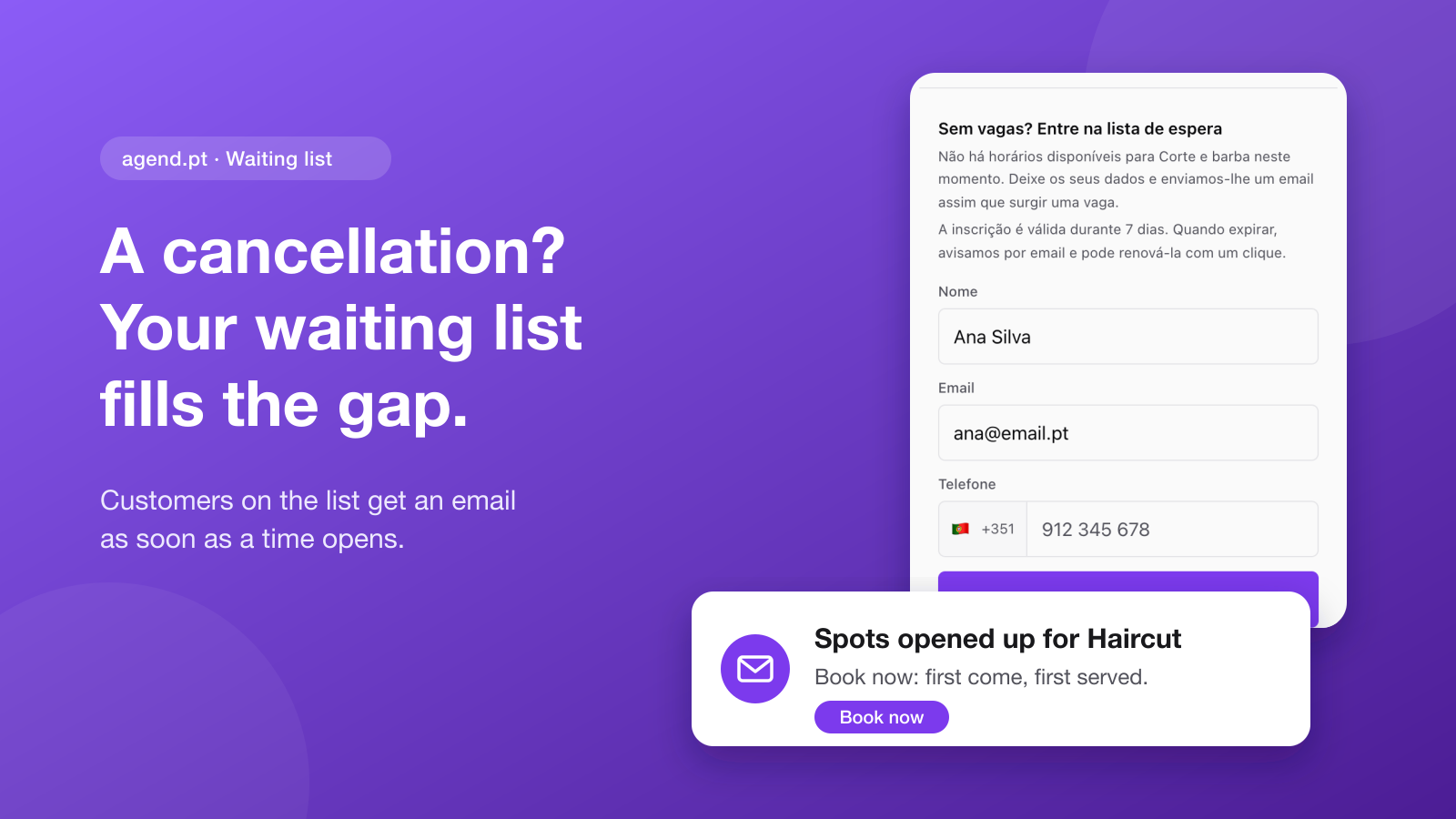
Friday, one in the afternoon. Your three o'clock cancels. You remember two or three people asked for a slot this week and you had to say there was nothing, but you no longer know who they were or where that conversation went. You send a few messages, nobody answers in time, and at three you have an empty chair.
When your calendar is full, the problem is not a lack of demand. It is that the demand you turned away is not written down anywhere. A waiting list fixes exactly that: it keeps the people who wanted to book and tells them the moment a time opens.
The demand you lose when you are fully booked
A fully booked service looks like good news, and it is. But it carries two hidden costs.
The first is the customer who lands on your page, finds no time and books somewhere else. They do not tell you; they just disappear. Maybe they come back, maybe they do not.
The second is the cancellation. In a full calendar, every cancellation opens a gap nobody knows about. The customers who wanted that time stopped looking long ago, and between appointments you have no time to call each one.
A waiting list joins both ends: the people who found no time leave their details, and the time a cancellation frees up reaches them right away.
What an empty slot is worth
Run the numbers for your business. Here is an example for a barbershop with an average price of €18 per service:
| Cancellations left unfilled | Per week | Per month (4 weeks) |
|---|---|---|
| 1 a week | €18 | €72 |
| 2 a week | €36 | €144 |
| 4 a week | €72 | €288 |
In a beauty salon or a clinic, where a service costs €40 or €60, the numbers climb fast. And that only counts the lost service, not the customer who tried a competitor and stayed.
The sum that matters: the Premium plan costs €11.99/month (ex. VAT). If the waiting list wins back a single €15 booking a month, it has paid for itself.
Manual or automatic waiting list
Many businesses already keep a waiting list: a notebook by the till, a note on the phone, a WhatsApp group. It works while the list is short and you have time. The trouble is that cancellations happen exactly when you do not.
| Notebook or WhatsApp | agend.pt waiting list | |
|---|---|---|
| Who adds the customer | You | The customer, on your page |
| Who announces an opening | You, one by one | agend.pt, by email, to everyone at once |
| When the notice goes out | When you remember | As soon as the time is free |
| Who gets the time | Whoever answered your message first | Whoever books first, with no action from you |
| Customers no longer interested | Stay on the list forever | Sign-ups expire after 7 days |
| Knowing if it pays off | Hard | You see how many bookings came from the list in the last 30 days |
How it works, step by step
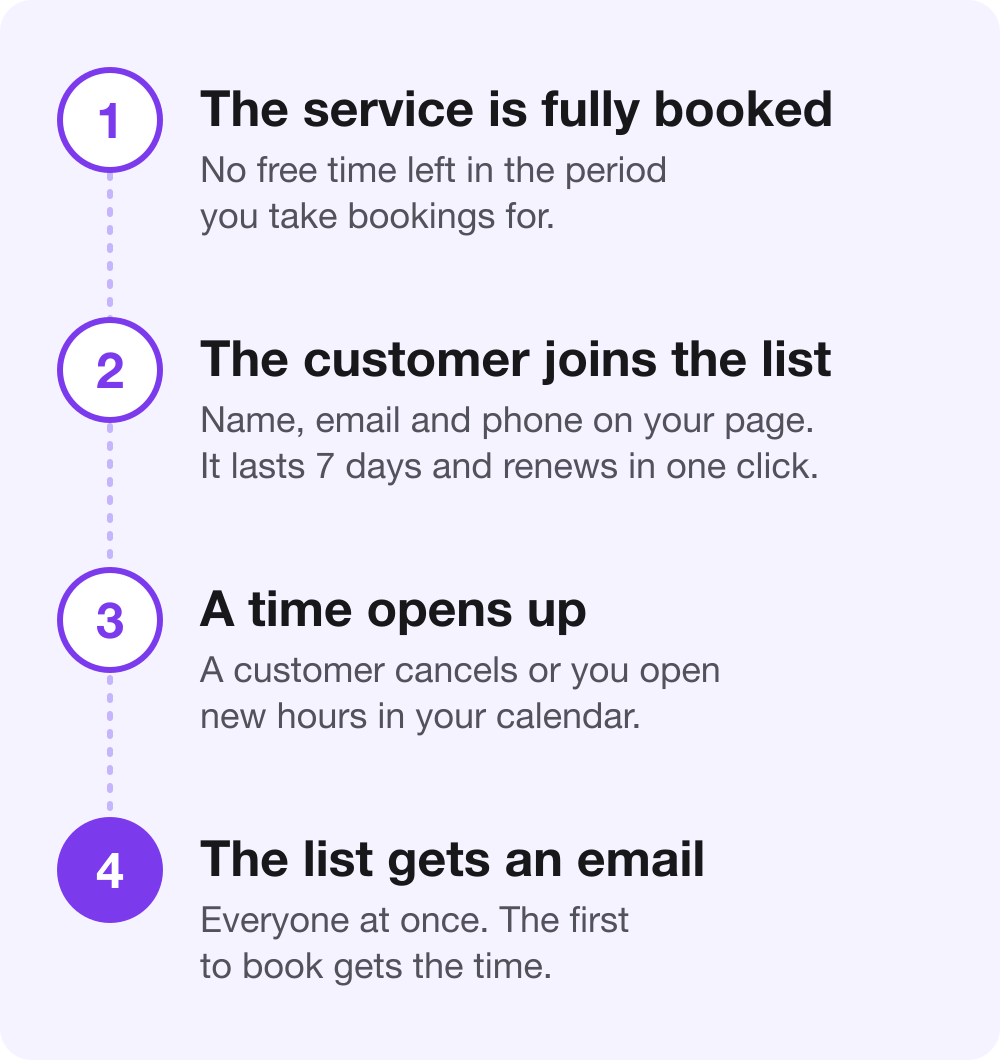
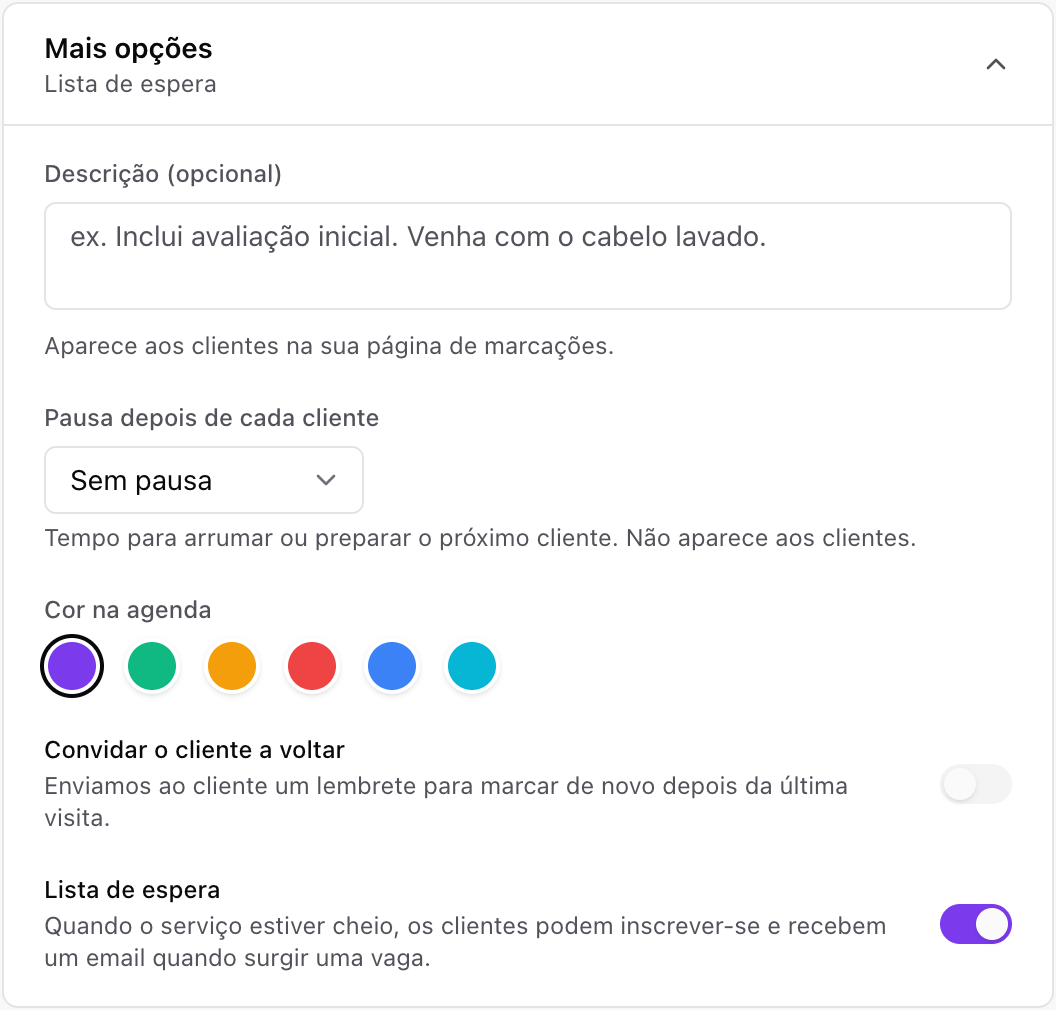
1. Turn the list on for a service. Under Services, open the service and turn on Waiting list under More options. Turn it on only for the services that tend to sell out; the rest stay as they are.
2. Customers join from your page. When the service has no free times left, your booking page shows the waiting list form instead of the times. The customer leaves their name, email and phone and gets an email confirming they joined. It also works in the booking widget on your website.
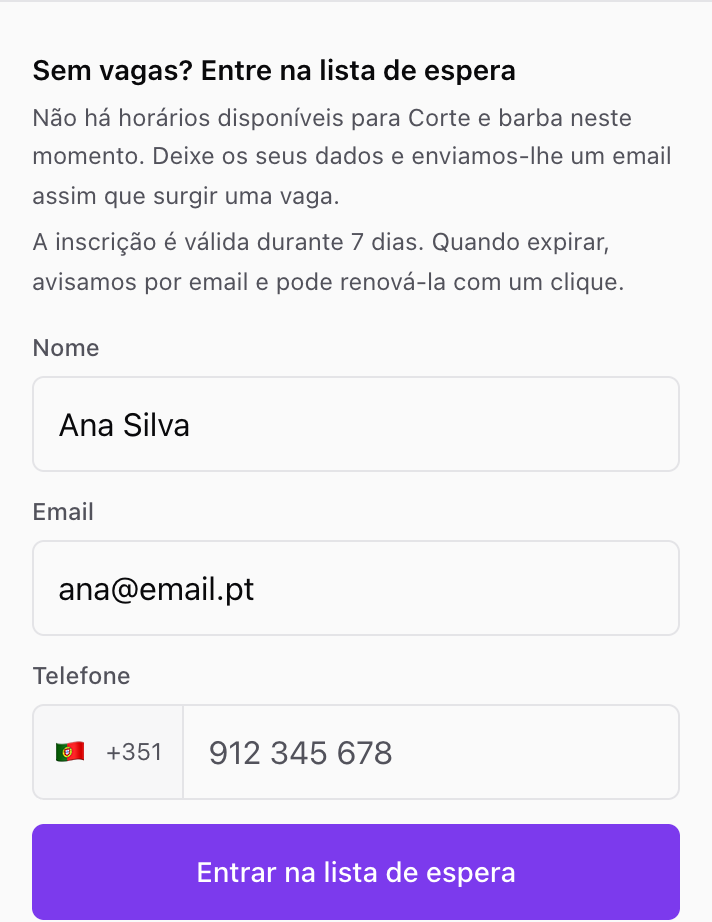
3. A time opens up. A customer cancels, a booking moves to another day, or you open new hours. agend.pt checks the service's availability whenever a booking changes status, and every 15 minutes regardless.
4. The list gets an email. Everyone waiting gets an email at the same time with a link to book. The first to book gets the time. Once a customer books, they leave the list on their own.
Rules that keep the list fair
A waiting list only works if customers trust it. So the rules are simple and the same for everyone:
- Everyone hears at once. No favourites, no hidden queue: the email goes to the whole list and the time belongs to whoever books first.
- One notice per opening. The same customer never gets two notices within 12 hours, even if the service opens and fills up again several times.
- Sign-ups last 7 days. When one expires, the customer gets an email and renews it in one click. The list only holds people who are still interested.
- Leave any time. The sign-up confirmation and every notice carry a link to leave the list.
- No duplicates. Each customer has at most one active sign-up per service, and anyone with a booking request already pending for that service is not notified.
See who is waiting (and use it to decide)
Under Services, each service shows how many customers are waiting. Tap the number to see the list, with when each person joined, when their sign-up expires and when they were last notified, plus how many bookings came from the list in the last 30 days.
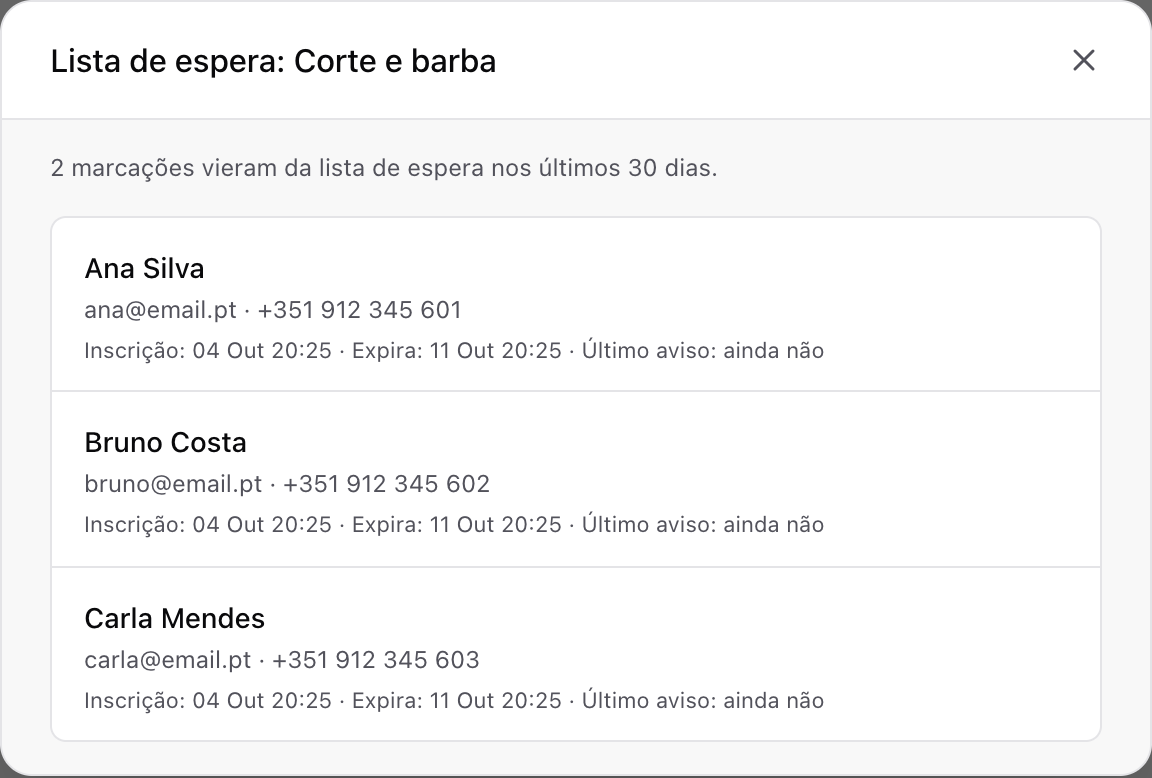
That number is business information. If eight people are waiting for a service every week, demand is telling you something:
- Open more hours. An extra Saturday morning or late afternoon. When you open them, the list is told automatically.
- Review the price. A service that always sells out can carry a higher price.
- Hire or rebalance. If only one person on your team does the service, it may be time to train someone else.
You also get an email for every new sign-up, which you can turn off under Settings → Bookings.
Pair the list with the rest of your calendar
The waiting list fills gaps. These three pieces make gaps appear earlier and leave fewer unfilled:
- A clear cancellation policy. The earlier a customer cancels, the more time the list has to fill the slot. Ask for it on the booking form with a consent question.
- Reminders. A reminded customer cancels the day before instead of not turning up. On the Pro plan, SMS reminders join the emails.
- Deposits. An online deposit cuts down on no-shows, the one kind of gap a waiting list cannot save.
When is a service "fully booked"? The list shows when the service has no free time at all in the period you take bookings for, set under Settings → Bookings → Maximum advance booking. If you open your calendar 1 month ahead, the list kicks in more often than with 6 months.
What it costs
The waiting list is included in the Premium (€11.99/month) and Pro (€17.99/month) plans, ex. VAT, or €9.99 and €14.99/month billed yearly. Both plans also include unlimited booking form questions, online deposits and a page without agend.pt branding. Pro adds SMS reminders and the AI assistant, which can already turn the waiting list on and tell you who is waiting.
Every new account gets 14 days of Pro, no card needed, waiting list included. See the pricing page.
Frequently asked questions
Do customers get an SMS when a time opens? No. The waiting list notice goes by email, with a direct link to book.
Can I turn the list on for just one service? Yes. The list is set per service. Services without it keep showing only their times.
What if two customers try to book the same time? Whoever confirms first gets it. The second sees whatever times are left, as with any booking.
What happens to sign-ups if I turn the list off? The list closes: sign-ups end and each customer gets an email saying the list was closed, with a link to your booking page. If you turn it back on, the list starts from scratch.
Takeaway
A full calendar hides demand you are losing: the customers who found no time and the cancellations nobody heard about in time. A waiting list keeps that demand and tells it, by email, the moment a time opens. You send no messages, and the slot goes to whoever books first.
If your most popular service often sells out, try agend.pt and turn on the waiting list for that service. Running a barbershop or a salon? See how it works for barbers and hair salons.