Free
To start taking bookings.
€0 / month
Always free
Start free
No card. No time limit.
The essentials to get started
- 1 service
- 1 team member
- Online and in-person services
- Page with agend.pt branding
- 1 custom question
Take online bookings, request deposits, and send automatic reminders. Built in Portugal for independent professionals and small teams.
14 days of Pro. Then keep the free plan. No card required.
“It helped me manage my schedule better, and patients can manage their bookings on their own, without obstacles.”
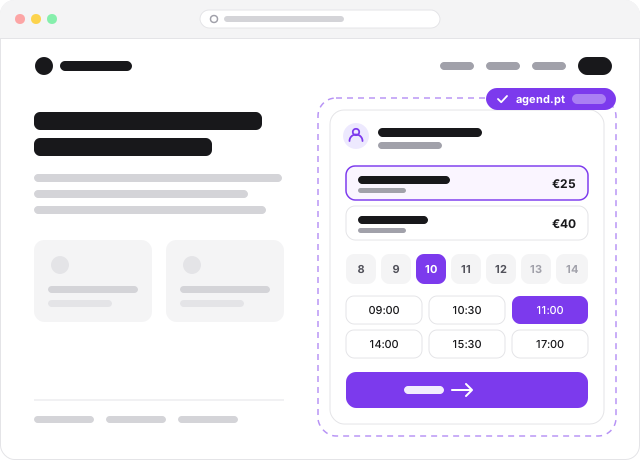
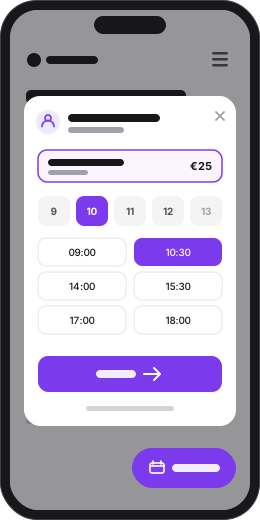
Try it: pick a service and complete the booking. Studio Luz is fictional — no booking is created and nothing is charged.
Deposits before the booking
Ask for commitment on the hours that cost most to lose.
Reminders without manual work
Email and SMS keep customers informed until their booking.
Control over your schedule
Confirm automatically or review every request when you need to.
2
months free
Monthly Premium or Pro, your choice. Unlimited staff, no annual commitment and setup takes 15 minutes. All you have to do is show us you currently pay for another platform.
5 of 20 spots left 15 already taken
Limited to the first 20 businesses. Valid for businesses with an active paid subscription to another booking platform, on the monthly Premium or Pro subscription. The first month is paid; the next 2 months are credited to your account once we receive the invoice. Cannot be combined with other offers.
Publish your services
Set duration, price, staff, and availability on a page carrying your brand.
Share one link
Put it on Instagram, WhatsApp, Google, or your own website.
Protect the time
Customers book themselves, pay a deposit when needed, and receive automatic reminders.
Your hands are busy and a customer is waiting for an answer. Instead of stopping, opening the laptop and hunting for the right day, you say: "accept Maria's request" or "book a haircut for Pedro tomorrow at 10". The assistant understands European Portuguese and English, makes the booking and lets the customer know. Only after you confirm.
Included in the Pro plan.
Book Haircut for Pedro Nunes on 15 Sep 10:00 with Rui. It is confirmed at once and the customer is notified.
✓ Confirmed
Pedro Nunes
15 Sep 10:00 · Haircut
Already use Claude or ChatGPT every day? Connect it to agend.pt (MCP server) and ask it, right in the conversation, what you want to know or do in your agenda. It is what the dashboard assistant does, in the AI app you already know.
Included in the Pro plan.

Agenda closed from 4 to 15 August. You have 2 bookings in that period:
Ana Ribeiro
5 Aug 10:00 · Haircut
João Matos
12 Aug 15:30 · Beard trim
In the versions that support custom connectors.
Connect Google Calendar and every confirmed booking shows up in your calendar. What is already on your calendar blocks the public availability, so no customer books on top of your life.
Included in Premium and Pro plans.
 Two-way sync
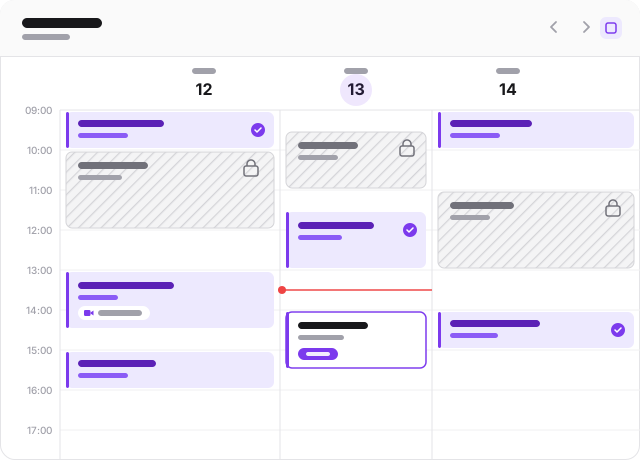
From the first request to the reminder the day before, agend.pt sends every message by email and, on Pro, by SMS. Customers confirm, cancel, or accept a new time from the link, with no account and no phone tag.
Emails on every plan. SMS included in Pro.
One booking, every message
Sent automatically
Request received
Mon, 09:12
Booking confirmed
Mon, 09:40
Reminder
Wed, 10:00
Review request
Thu, 18:00
Customers manage the booking from the link. No app, no account.
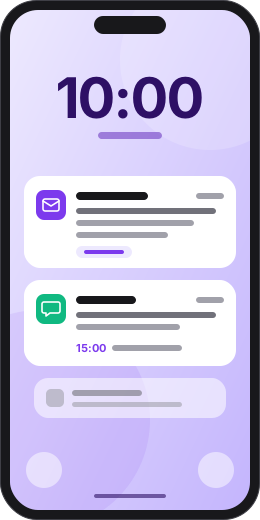
Ask for a deposit when the customer books, by card or MB WAY. The money goes straight to your own Stripe account, agend.pt takes no commission, and the remainder is paid on-site as usual.
Included in Premium and Pro plans.
Connect your InvoiceXpress or FIZ account and issue the invoice-receipt from the booking, with the service amount and the customer's NIF already filled in. The customer gets it by email.
Included in Premium and Pro plans. Requires your own InvoiceXpress or FIZ account.
Haircut · Marta Silva
Today, 3:00 pm
Invoice-receipt issued
FR A/12Email sent to the customer


Illustrative example.
Paste one line of code into your site and customers book without leaving your page. Inline in the page or as a pop-up button, in your colour and language, always in sync with your services, staff, and schedule.
<script src="https://agend.pt/embed.js"
data-agend-slug="your-business"></script>Included in Premium and Pro plans.
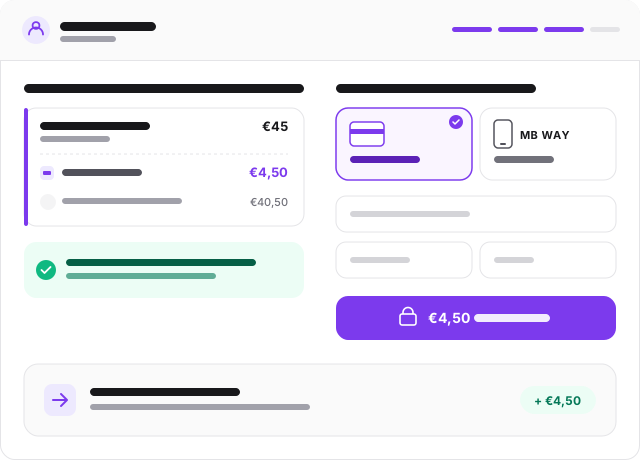
When a reservation starts on Instagram, Google, Facebook, or WhatsApp, agend.pt keeps the source and shows it on the booking. Invest in what brings customers, not just clicks.
Included in every plan, including Free.
Add your own questions to the booking form, besides name, phone and email: allergies, the dog's size, how the customer found you. Answers stay on the booking and on the customer's page.
1 question on Free, plus consent questions. Up to 20 on Premium and Pro.
When a service has no free times left, your public page invites the customer to join the waiting list. When someone cancels or you open a new time, the list gets an email to book right away, with nothing for you to do.
Included in Premium and Pro plans.
Connect agend.pt to the tools you already use: payments, invoicing and calendar.
 Stripe
Payments
Card and MB WAY deposits, paid straight to you.
InvoiceXpress
Invoicing
Certified invoice-receipt from the booking, in your InvoiceXpress account.
FIZ
Invoicing
Certified invoice-receipt from the booking, in your FIZ company.
Google Calendar
Calendar
Two-way sync that prevents double bookings, plus automatic Google Meet links.
Stripe
Payments
Card and MB WAY deposits, paid straight to you.
InvoiceXpress
Invoicing
Certified invoice-receipt from the booking, in your InvoiceXpress account.
FIZ
Invoicing
Certified invoice-receipt from the booking, in your FIZ company.
Google Calendar
Calendar
Two-way sync that prevents double bookings, plus automatic Google Meet links.
More integrations on the way. Missing one? Tell us which.
Booking flows designed for recurring services, small teams, and appointment slots that cannot go to waste.
Barbers
Online booking for barber shops and men's grooming.
Learn more → 💇Hair Salons
Scheduling for hairdressers and styling studios.
Learn more → 💆Beauty & Aesthetics
Bookings for nail salons, spas, and beauty treatments.
Learn more → 👐Physiotherapy
Sessions for physiotherapists and recovery professionals.
Learn more → 💅Nail Salons
Booking for manicure and nail studios.
Learn more → 🧘Yoga & Pilates
Class and session booking for studios.
Learn more →Empty-slot calculator
Use your own business numbers. The estimate shows the monthly revenue tied to no-shows and late cancellations — time that deposits and reminders can help protect.
Simple estimate: weekly bookings × 4.33 weeks × risk rate × average value. This is not a promise of results.
Monthly revenue at risk
€455
13 slots at risk each month
Pro plan / month
17,99€
To break even
1 recovered booking
To start taking bookings.
€0 / month
Always free
No card. No time limit.
The essentials to get started
To manage and customise your business.
€11.99 / month
Billed monthly
14-day free trial. No card required.
Everything in Free, plus:
To run the agenda by voice and follow up with customers by SMS.
€17.99 / month
Billed monthly
14-day free trial. No card required.
Everything in Premium, plus:
In every plan: a booking page, unlimited bookings and automatic emails.
Prices exclude VAT.
| Feature | Free | Premium | Pro |
|---|---|---|---|
| Bookings and team | |||
| Online bookings | Unlimited | Unlimited | Unlimited |
| Services | 1 | Unlimited | Unlimited |
| Team members | 1 | Unlimited | Unlimited |
| Online, in-person or mixed services | Included | Included | Included |
| Accept, decline or propose a new time | Included | Included | Included |
| Marketing attribution and 30-day source overview | Included | Included | Included |
| Custom questions on the booking form | 1 + consent | Up to 20 | Up to 20 |
| Page and integrations | |||
| Public booking page | Included | Included | Included |
| agend.pt branding | With branding | No branding | No branding |
| Page URL | Automatic | Custom | Custom |
| Full page customisation and image gallery | Not included | Included | Included |
| Google Calendar with conflict protection | Not included | Included | Included |
| Automatic Google Meet links for online bookings | Not included | Included | Included |
| Booking widget for your website | Not included | Included | Included |
| Payments and customers | |||
| Online payments and booking deposits | Not included | Included | Included |
| No-show tracking per customer | Not included | Included | Included |
| Rebooking with pre-filled details | Not included | Included | Included |
| Customer page with booking history | Not included | Included | Included |
| Automatic rebooking invitations | Not included | Included | Included |
| Waiting list for fully booked services, with an email when a spot opens | Not included | Included | Included |
| Assistant and communication | |||
| AI assistant by voice and text (books and moves appointments, accepts requests, edits services and opening hours, blocks time off and much more) | Not included | Not included | Included |
| Claude and ChatGPT connector (use agend.pt from the AI you already use, with the same tools as the assistant) | Not included | Not included | Included |
| Automatic emails | Included | Included | Included |
| SMS: confirmations, declines and reminders | Not included | Not included | 200 SMS/month |
| Automatic Google review requests | Not included | Not included | Included |
Your page is live in minutes. Start free, upgrade when you want.
14 days of Pro. Then keep the free plan. No card required.
Founding programme: first 20 businesses
Personal, hands-on help from the founder to publish your page and share the first link.